
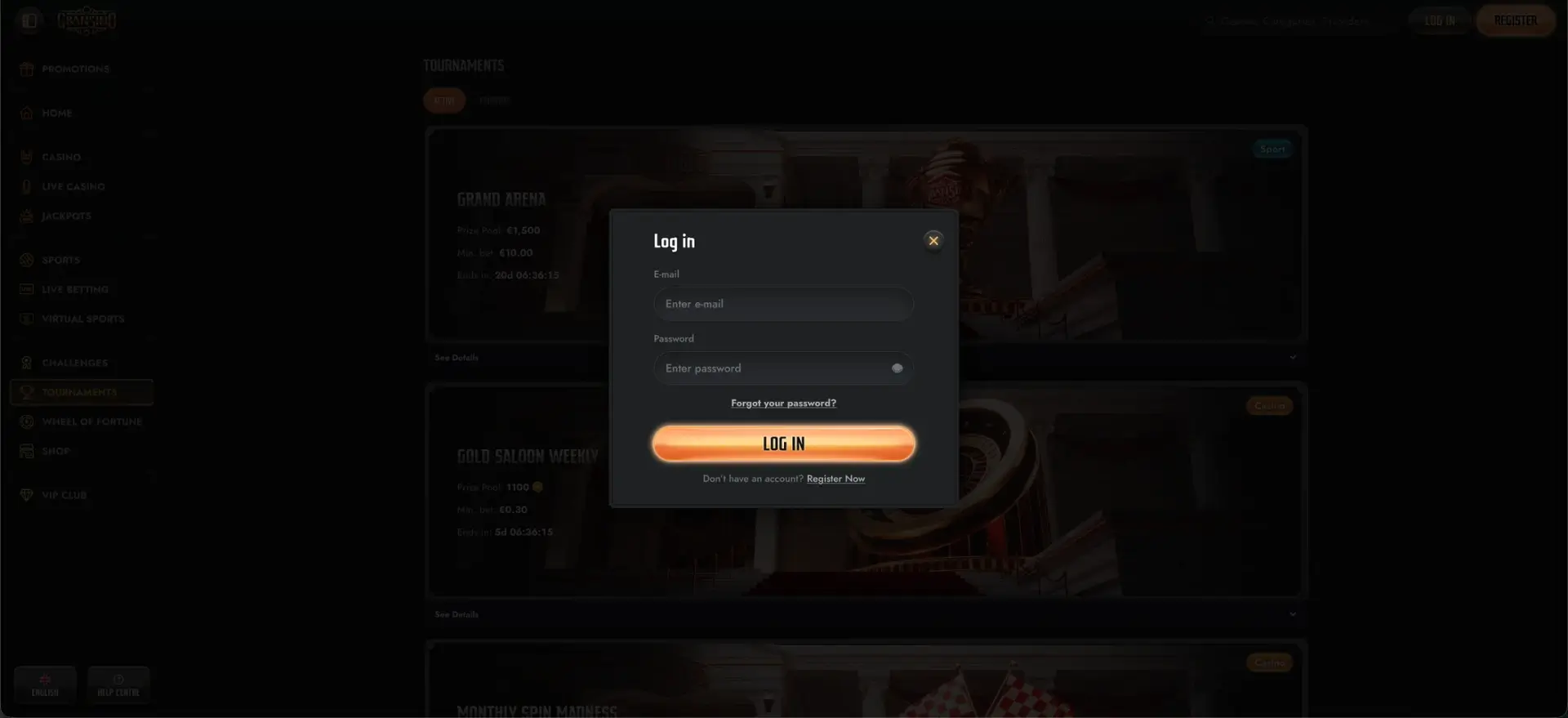
Signing in to Gransino takes seconds: open gransinoca.org, click LOG IN in the top-right corner, enter the email and password from registration, and the account dashboard opens with your balance, bonuses and the cashier. The Gransino login works the same on desktop and in the mobile browser, there is a one-click password reset if you are locked out, and standard account verification (KYC) may be requested before a first withdrawal. This page covers the full sign-in flow, recovery, mobile access and the most common login errors.
Gransino secures every sign-in with 256-bit SSL encryption issued through Google Trust Services, so login and payment details are protected in transit. Keeping your own credentials private and using a strong, unique password is the main thing that keeps a Gransino casino account safe.
| Login essentials | Details |
|---|---|
| Where to log in | gransinoca.org - LOG IN button, top-right |
| Login method | Registered email and password |
| Password reset | "Forgot your password?" link on the login form |
| Device support | Desktop and mobile browser (iOS and Android) |
| Encryption | 256-bit SSL (Google Trust Services) |
| Verification | KYC may apply before first withdrawal |
| Currency | CAD (Canadian Dollar) |
| Support | 24/7 live chat and email |
How to log in to Gransino
The Gransino login form asks only for an email and password, so the process is quick on any device. Follow these steps:
- Open gransinoca.org in your browser.
- Click LOG IN in the top-right corner of the page.
- Enter the email address you used at registration.
- Type your password - the field is case-sensitive.
- Click LOG IN and wait for the dashboard to load without refreshing.
Create an account if you don't have one
If you have not registered yet, the login window links straight to sign-up through the "Register Now" prompt. The quick registration flow is short:
- Click REGISTER or "Register Now" from the login window.
- Choose your welcome bonus or enter a promo code.
- Enter your email, create a password and accept the terms.
- Add your personal details - name, address and date of birth.
- Confirm to create the account, then log in as above.
Password recovery
If you cannot remember your password, there is no need to contact support - the reset link sits directly on the login form. To restore access:
- Open the Gransino login window and click Forgot your password?
- Enter the email tied to your account.
- Open the reset email and follow the secure link.
- Create a new password and confirm it.
- Return to the login form and sign in with the new details.
Secure login practices
A few habits keep a Gransino casino account protected beyond the site's own encryption:
- Use a long, unique password that you do not reuse on other sites.
- Never share login details, and be wary of links asking you to "re-enter" them.
- Log in only through gransinoca.org, not through links in unsolicited messages.
- Avoid saving your password on shared or public devices.
Mobile login
There is no separate app, so mobile login happens in the browser at gransinoca.org and uses the same email and password as desktop. A few tips make it smoother on a phone or tablet:
- Add gransinoca.org to your home screen for one-tap access.
- Let the keyboard finish before submitting to avoid a mistyped password.
- Keep the browser updated so the login form renders correctly.
Troubleshooting common Gransino login errors
Most sign-in problems fall into a handful of categories, and each has a quick fix.
Incorrect credentials
If the site rejects your details, confirm the email is spelled correctly and check that Caps Lock is off, since the password field is case-sensitive. If you are unsure of the password, use the recovery link rather than guessing repeatedly.
Browser or cache issues
If the page loads but the form does not respond, the browser cache is often the cause. Clear cache and cookies, disable script-blocking extensions, and reload - switching to a different browser also resolves many session failures.
Account temporarily blocked
Repeated failed attempts can trigger a temporary lock as a security measure. Wait a short while before trying again, and if the block persists, contact 24/7 live chat to confirm the account status.
What you can access after login
Once signed in, the Gransino dashboard opens up the full account. From there you can reach:
- The cashier for CAD deposits and withdrawals.
- Active bonuses, free spins and the daily Bonus Crab.
- The full game library, live tables and the sportsbook.
- Your VIP level, Shop coins and Challenges progress.
- Account settings and verification documents.
Account verification (KYC)
Gransino may ask for identity verification before releasing a first withdrawal - standard practice for a licensed operator. This usually means providing a photo ID and, in some cases, proof of address and of the payment method used. Uploading these documents early means your first cash-out is not held up while checks are completed.
FAQ
How do I log in to Gransino casino?
Open gransinoca.org, click LOG IN in the top-right corner, and enter the email and password from registration. The dashboard loads immediately with your balance, bonuses and cashier.
I forgot my Gransino password - what do I do?
Click "Forgot your password?" on the login form, enter your registered email, then follow the secure reset link to set a new password and sign back in.
Can I log in to Gransino on mobile?
Yes. There is no app to download - the mobile browser at gransinoca.org uses the same login as desktop. You can add the site to your home screen for faster access.
Why won't my Gransino login work?
The usual causes are a mistyped case-sensitive password, a cached browser session, or a temporary lock from repeated failed attempts. Clear cache, reset the password if needed, or contact live chat.
Do I need to verify my account to log in?
No - verification is not needed to sign in. KYC checks apply before a first withdrawal, so completing them early avoids delays at cash-out.