
Many Canadian players search for a Gransino app, but the casino does not have a native download for iOS or Android - and it does not need one. The full site runs directly in the mobile browser: the same 7,000+ games, live tables, sportsbook, bonuses and CAD cashier, adapted to a phone or tablet screen. It works on any modern browser without an install, updates automatically, and can be pinned to your home screen so it opens like an app. This page explains how to access Gransino on mobile, how to add the shortcut and what the mobile version includes.
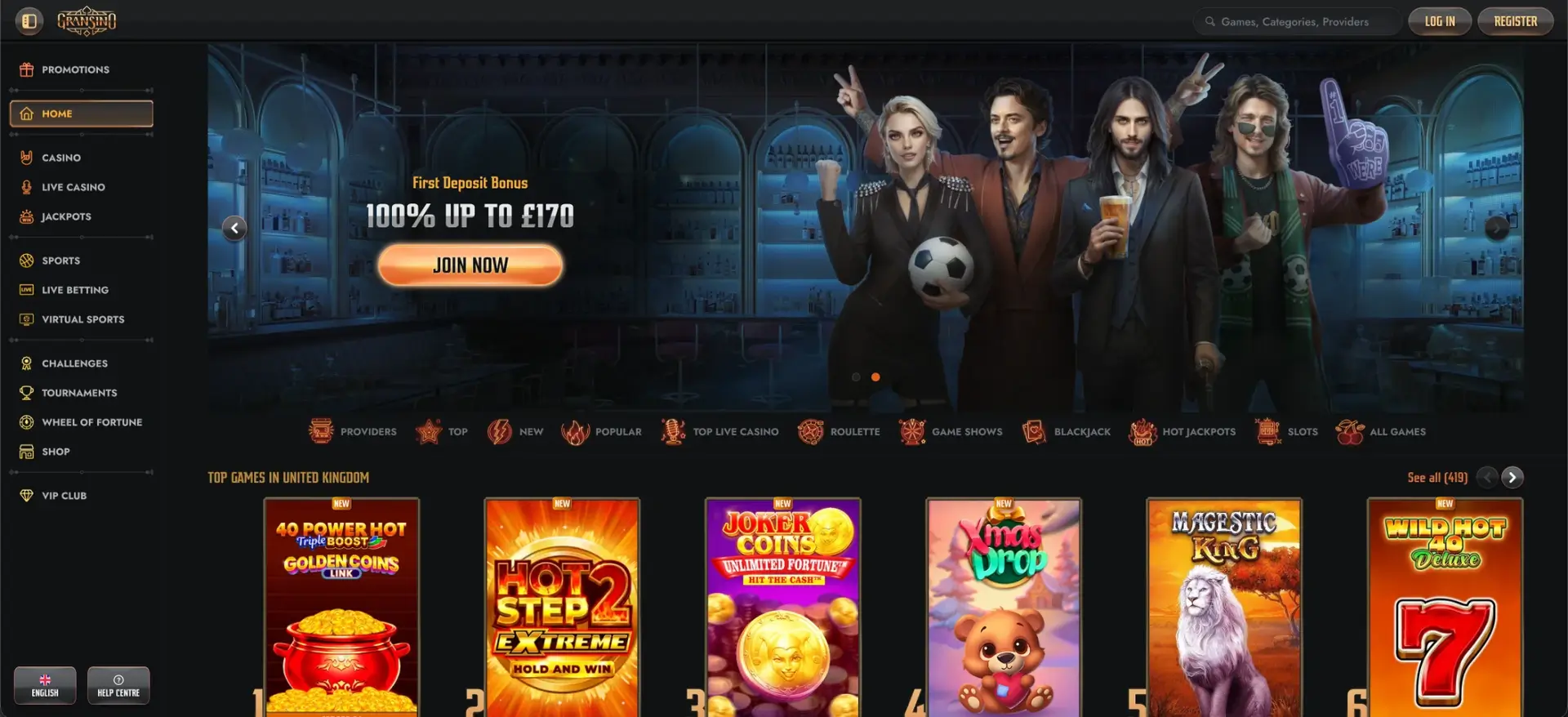
Skipping a native app has practical upsides: nothing to update manually, no storage taken up, and no waiting on app-store approval for new features. This page covers the setup on both iOS and Android and what to expect from performance and payments on mobile.
| Feature | Mobile browser details |
|---|---|
| Download required | No - runs entirely in the browser |
| iOS access | Safari, Chrome or Firefox - full support |
| Android access | Chrome, Firefox or any modern browser |
| Home-screen shortcut | Available on iOS and Android |
| Game catalogue | 7,000+ titles - identical to desktop |
| CAD deposits and withdrawals | Full cashier available on mobile |
| Bonuses | Welcome offer, reloads, cashback and Bonus Crab |
| Live casino and sportsbook | Fully available on mobile |
| Security | 256-bit SSL - same as desktop |
| Updates | Automatic - no manual updates |
Is there a Gransino app for Android or iOS?
No - there is no dedicated Gransino app in the Google Play Store or Apple App Store. Instead, the casino uses a responsive site that reshapes itself for smaller screens, so everything available on desktop is reachable through the mobile browser. For most players this is simpler than an app, because there is nothing to download, no permissions to grant and no updates to manage.
How to access Gransino on mobile
Getting onto Gransino from a phone or tablet takes only a browser and the site address. The steps are the same on iOS and Android:
- Open your mobile browser (Safari, Chrome or Firefox).
- Go to gransinoca.org.
- Log in, or tap REGISTER to create an account.
- Browse the casino, live tables or sportsbook as you would on desktop.
How to add Gransino to your home screen
Pinning the site to your home screen gives you an app-like icon that opens Gransino in one tap. The method differs slightly between iOS and Android.
iOS (Safari)
On an iPhone or iPad, use Safari's share menu to create the shortcut:
- Open gransinoca.org in Safari.
- Tap the Share icon (the square with an upward arrow).
- Scroll and tap Add to Home Screen.
- Confirm the name and tap Add - the icon appears on your home screen.
Android (Chrome)
On Android, Chrome offers the same option through its menu:
- Open gransinoca.org in Chrome.
- Tap the three-dot menu in the top-right corner.
- Select Add to Home screen.
- Confirm the name and tap Add.
Features available on mobile
The mobile version is not a cut-down build - it carries the whole platform. On a phone or tablet you get:
- Full game library: all 7,000+ slots, table games, jackpots and instant wins.
- Live casino: streamed roulette, blackjack, baccarat, poker and game shows.
- Sportsbook: pre-match and in-play betting plus virtual sports.
- Cashier: CAD deposits and withdrawals through Interac, cards, e-wallets and crypto.
- Bonuses: welcome offer, reloads, cashback, Bonus Crab, Challenges and the Shop.
Performance on mobile
Because the site is browser-based, performance depends mostly on your device and connection rather than on an installed app. A few things help it run smoothly:
- Keep the browser updated so games render correctly.
- Close unused tabs before a live-casino session to free up memory.
- A stable connection keeps live streams from buffering.
Security on the mobile version
The mobile site uses the same 256-bit SSL encryption as desktop, so login and payment data are protected the same way. Verification (KYC) and login rules also carry over, meaning there is no reduction in security from playing through the browser instead of an app.
Usage tips for Canadian players
A couple of habits make the Gransino mobile experience smoother for players in Canada:
- Add the home-screen shortcut for faster access than typing the URL.
- Complete KYC early so the first CAD withdrawal is not delayed.
- Use Interac or a crypto option for the quickest mobile cash-outs.
FAQ
Is there a Gransino casino app to download?
No. Gransino has no native app for iOS or Android. The full casino runs in the mobile browser at gransinoca.org, with everything the desktop site offers.
How do I install Gransino on my phone?
You don't install anything. Open gransinoca.org in your browser and, if you like, add it to your home screen for an app-style icon that opens in one tap.
Can I deposit and withdraw in CAD on mobile?
Yes. The full CAD cashier is available on mobile - Interac, cards, e-wallets and crypto all work the same as on desktop.
Does the mobile version have all the games?
Yes. All 7,000+ titles, the live tables and the sportsbook are available through the mobile browser, with no separate cut-down library.
Is the Gransino mobile site secure?
Yes. It uses the same 256-bit SSL encryption and verification rules as the desktop site, so security is unchanged.